Ransomware · Ransomworm · Worm
WannaCry - invoice_greenanimals.pdf.exe
- Author
- Moise Medici
- Updated
- 15 Feb 2026 · Completed
- Difficulty
- Medium
- Platform
- Family
- Languages
- MITRE
Basic Dynamic Analysis
Question 10 is probably something more for the code analysis section, but for the rest it is already possible to think about which tools need to be started before the analysis: Procmon for question 4 and parts of 5, 7, and 8; Wireshark and INetSim on the Linux machine for question 6. Question 5 can be easily answered post infection by looking at the services page in combination with Procmon data.
Before running the sample, a test.rtf file was created on the desktop to see if and when it gets encrypted. Notice that the .rtf extension is included in the potential extensions that might get encrypted in the “File format to encrypt” appendix.
The sample is first run as a standard user.
After running the sample, only the DNS query and an HTTP GET request can be seen. No file is created, no service is created, nothing is encrypted.

After running the sample as admin, the result is the same as above.
At this point it is needed to remove some of the tools, as they might be getting tracked by the sample and interrupt the execution. Stopping INetSim and running the .exe as admin, it actually started the encryption process.
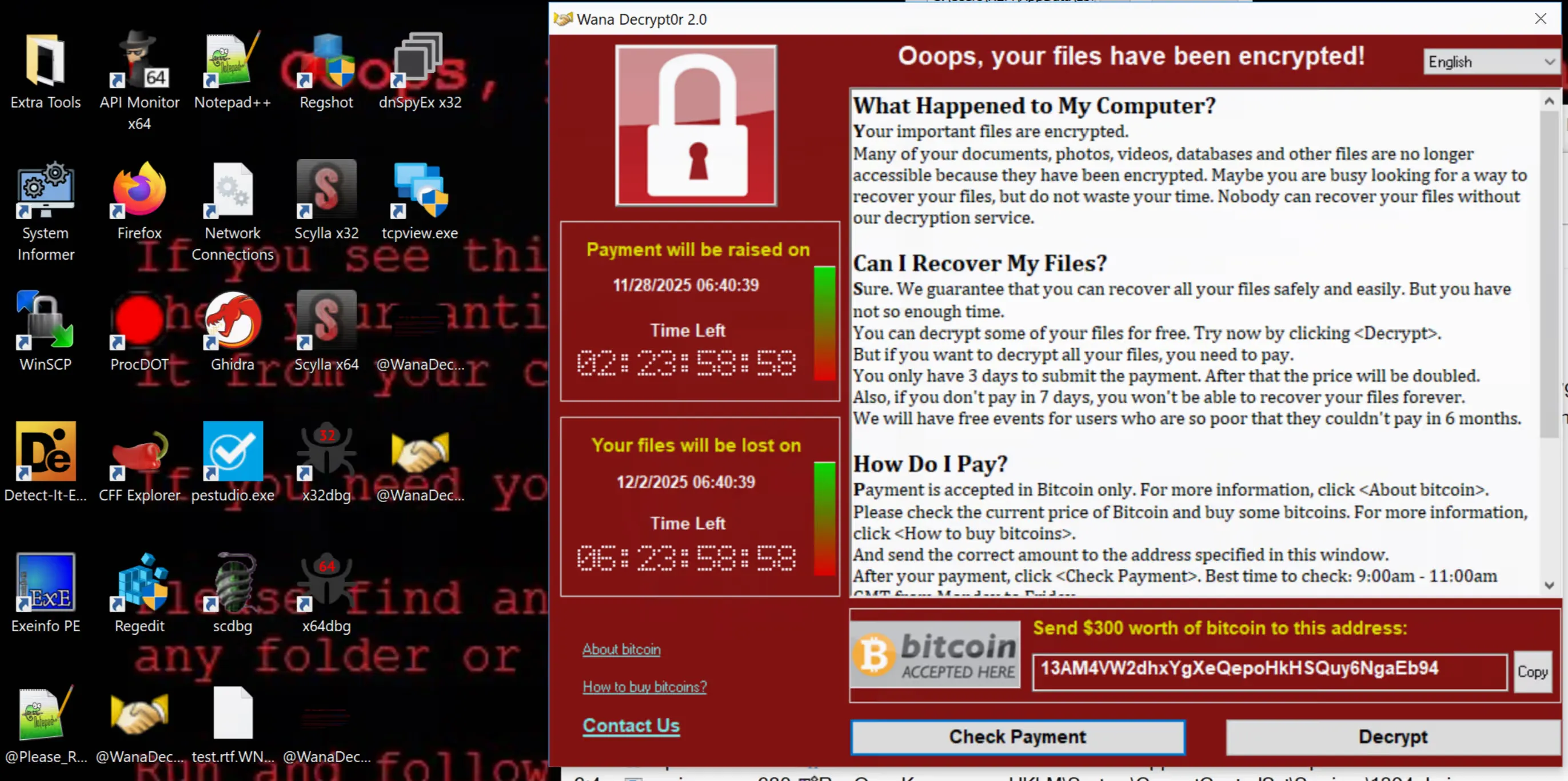
In addition to encryption, the following activity is visible:
- Internal network discovery
- Communication attempts with unknown IP addresses
Once the connection with the domain fails, 445 (SMB) traffic to internal and external IP addresses starts showing up:
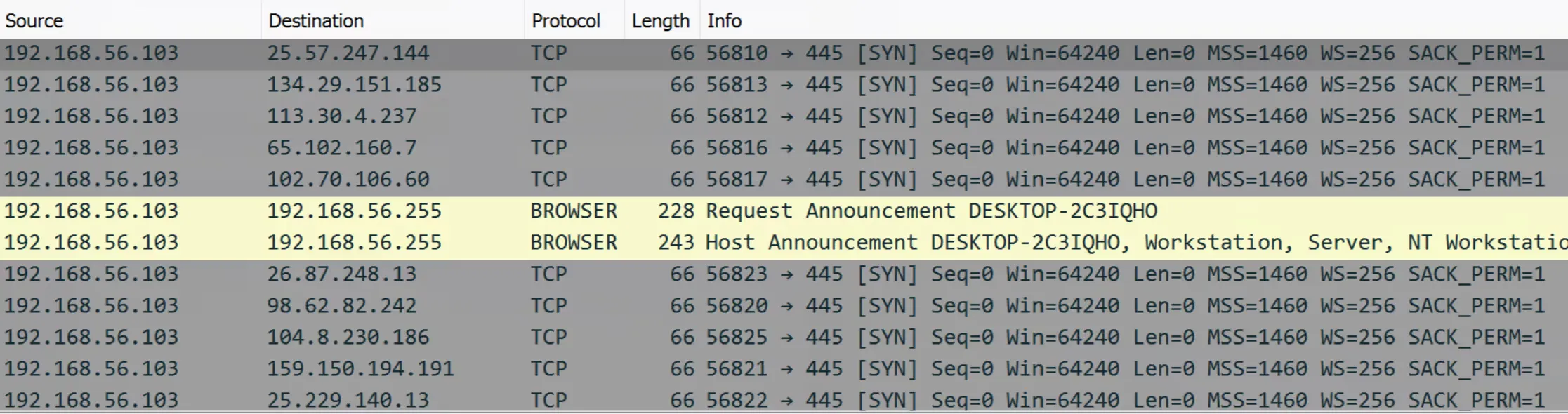
After an hour of letting Wireshark run there were around 3000 IP addresses used to attempt the connection.