InfoStealer
VIPKeyLogger - ENCRYPTED.ps1
- Author
- Moise Medici
- Updated
- 09 May 2026 · Completed
- Difficulty
- Easy
- Platform
- Family
- Languages
- MITRE
Question 3: What is the content of decodedAssemblyBytes?
To get the value of the decodedAssemblyBytes, the same technique as before can be used: a breakpoint after the initialization of the variable, executing the code and saving the variable to file:
$decodedAssemblyBytes | Out-File .\Desktop\stage3.txtTo be safer, the Invoke-ManagedAssembly execution can be commented out to avoid unwanted execution. Taking a look at the file, the first few lines are:
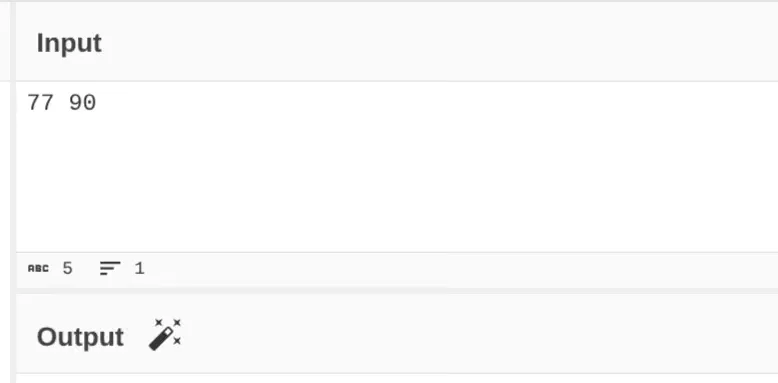
7790144030When in doubt of the content of a file, CyberChef can be useful to automatically identify it. In fact, typing 77 90 in the Input area of CyberChef shows a wand-like icon on the bottom of the page, like the screenshot below:
This will autopopulate the Recipe section with “From Decimal”:
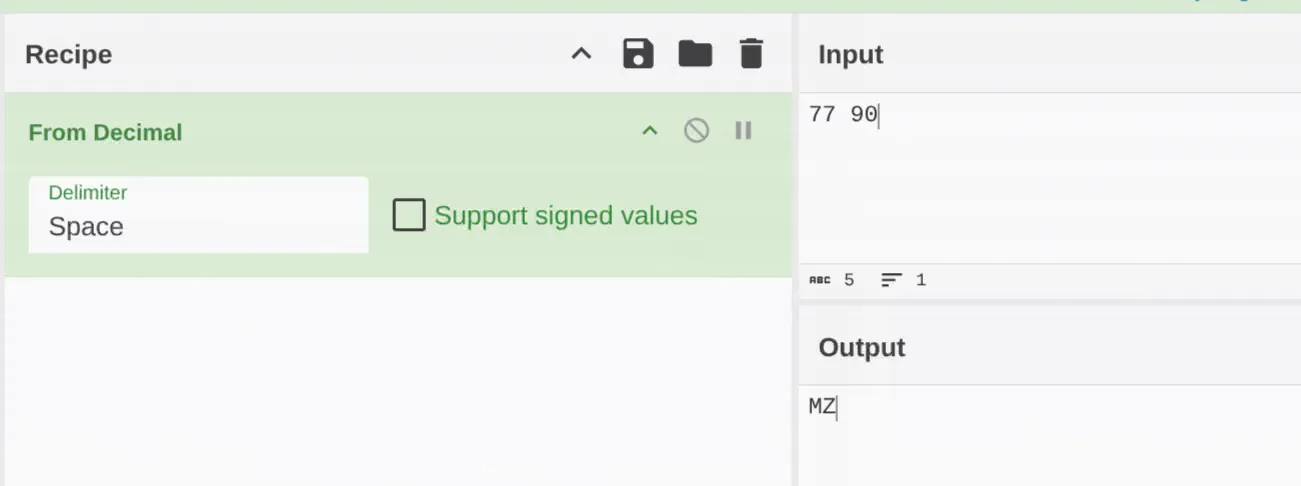
As shown from the output section, 77 90 is translated to MZ, the two bytes indicating a Windows executable. Keeping the same Recipe, the whole content of the file can be pasted into CyberChef and downloaded. This allows us to have the actual executable file. At this point stage3.txt has been renamed as stage3.exe.
Before looking at the content of this new executable, it is useful to see how it gets executed. In Invoke-ManagedAssembly the first argument, RawAssemblyBytes, is the one filled with decodedAssemblyBytes. Within the function it is used as follows:
$loadedAssembly = [System.Reflection.Assembly]::Load($RawAssemblyBytes)
# Get the specified type from the loaded assembly$targetType = $loadedAssembly.GetType($TargetTypeName)
# Configure binding flags for static public methods$bindingAttributes = [System.Reflection.BindingFlags]::Public -bor [System.Reflection.BindingFlags]::StaticThis is a common .NET malware technique where a .NET code is loaded and executed directly from memory via reflection, similar to process injection in that malicious code runs inside a legitimate process without a normal executable launch. The powershell function [System.Reflection.Assembly]::Load is taken directly from .NET netstandard.dll.
Also, note that the Invoke-ManagedAssembly function has other arguments:
$executionResult = Invoke-ManagedAssembly -RawAssemblyBytes $decodedAssemblyBytes ` -TargetTypeName 'MAFFIA.ProcessHollowing' ` -TargetMethodName 'Execute' ` -MethodArguments $invocationParametersTargetTypeName is probably the name of an object or class defined in the code, since it is used in the GetType 5 method, which returns the type of that object, specifically from the Microsoft documentation:
An object that represents the specified class, or null if the class is not found.
TargetMethodName is then retrieved from the class object:
$targetMethod = $targetType.GetMethod($TargetMethodName, $bindingAttributes)And invoked with the MethodArguments arguments:
return $targetMethod.Invoke($null, $MethodArguments)The arguments are the .NET framework path, and the content of ExecutionPayload.
$invocationParameters = [object[]]@($frameworkToolPath, $ExecutionPayload)We can then safely assume that decodedAssemblyBytes contains a .NET executable, which will be confirmed shortly. We have however the clear objective of having to understand what MAFFIA.ProcessHollowing is.